
Browse Your Apps in a Launchpad-Style Grid
Sometimes you remember an app's icon but cannot recall its name. It might be an image tool you only use occasionally: you know you installed it, but you are not sure what to type. Browsing familiar icons can be more useful than guessing names.
Wox's built-in App plugin includes a Launchpad-style grid. Open Wox and enter:
app launchpadApps appear as large icons with their names underneath. Find the icon you recognize, select the app, and open it.
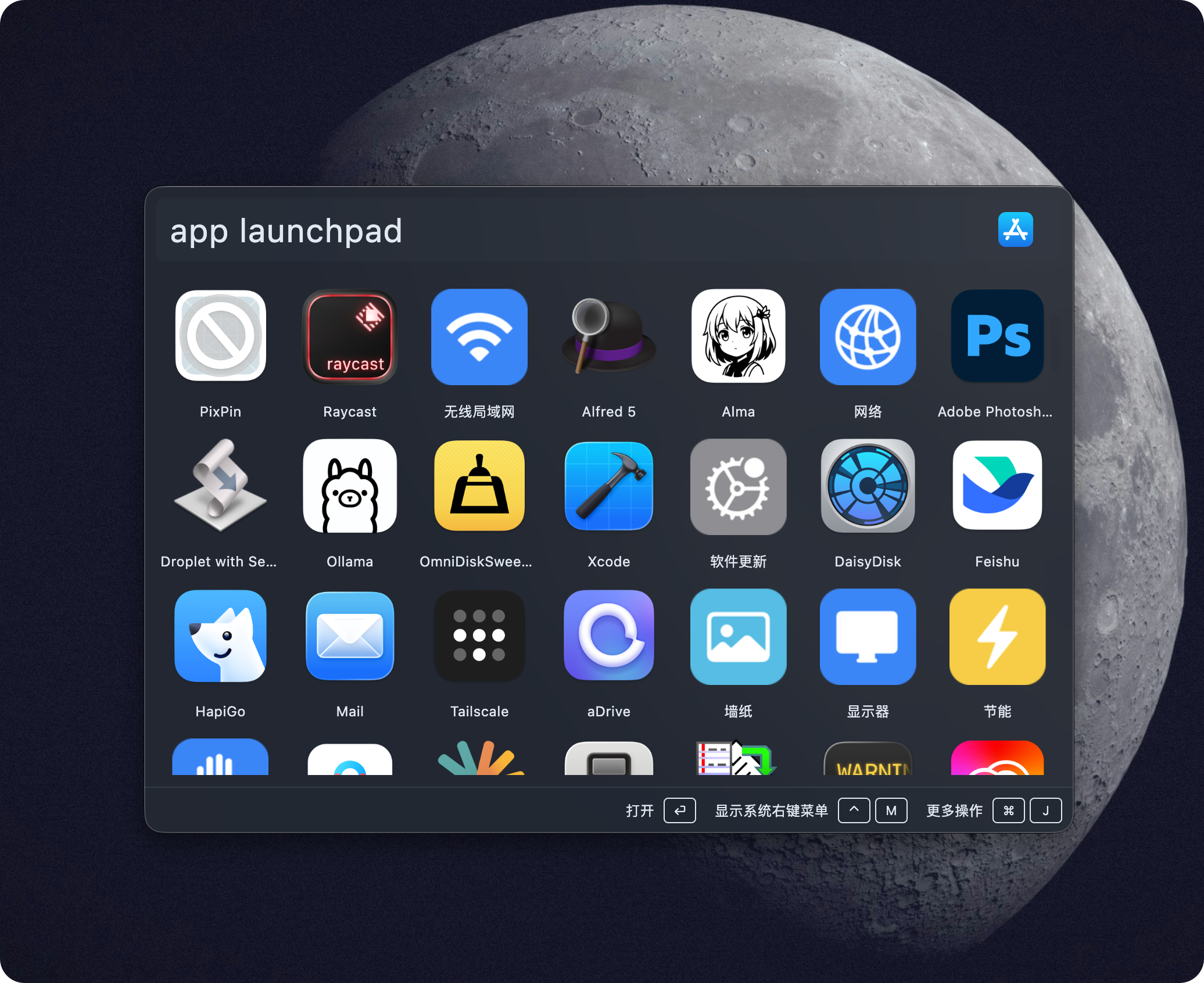
Use this view when you want to browse what is available. When you already know which app you need, typing its name into Wox is usually more direct than opening the grid first.
Open the grid with a shortcut
If you often find apps by their icons, save the query as a shortcut:
- Open Settings → Hotkey → Query Hotkeys and add an entry.
- Choose the Normal Query preset and set the query to
app launchpad. - Record an unused shortcut and save.
Pressing it now opens Wox directly in the app grid. Normal Query is the appropriate preset here because you still need to browse and choose an app.
The grid shows entries indexed by the App plugin that are suitable for this view, rather than a complete inventory of installed software. Entries without a usable icon, for example, may be absent. If an app is missing from the grid, return to the regular query and try searching by name.