Rediscover Wox v2
Thirteen years ago, I (qianlifeng) posted a small tool called WinAlfred on V2EX. I wanted something like Alfred on Windows: press a shortcut, type a few letters, and open an app without searching through the Start menu.
That tool eventually became Wox.
Over those thirteen years, it had busy periods and long stretches when maintenance fell behind. Today, Wox 2.x runs on Windows, macOS, and Linux. I want to introduce it again, and explain why I came back to spend another three years working on it.
From WinAlfred to Wox
The original name was straightforward: Alfred for Windows. After receiving a warning from Alfred about the name, I needed to change it. A community member, @Sylv, suggested Wox, with the idea of “it just works.” That was the name we kept.
I was the main developer from 2013 to 2015. When I moved to a Mac in 2015, I transferred the project from my personal account to the Wox-launcher organization so the community could continue maintaining it. bao-qian took on the main maintenance work, alongside many other contributors. Wox would not be here today without them. Thank you again.
For many Windows users, Wox was their introduction to launchers. Later, maintenance slowed, issues accumulated, and people looked for alternatives. Flow Launcher emerged from the community. For the people who stayed with Wox, that was a long wait.
Why I rewrote Wox
In 2023, I had a little more spare time and started looking at Wox again. There was an immediate problem: my main machine was still a MacBook Pro, while Wox v1 was a .NET application built for Windows.
I did not feel confident about maintaining an app long term if I could not use it every day. That was where the idea of a cross-platform Wox began. In October 2023, I published the Wox v2 plan and started the rewrite.
By then, there were plenty of good launchers. Alfred had been joined by Raycast, uTools, Flow Launcher, and others, each with its own users. I kept asking myself where another version of Wox should put its effort.
I wanted a launcher I could use across my own computers, with enough built-in tools for everyday work, a carefully designed interface, and modest resource use. It should be ready when called, then return to the background when the task was done.
I did not expect that to take three years. For much of that time, I felt it was not quite ready for another proper introduction. As the features filled out and daily use became more reliable, I finally felt ready to invite people to try Wox again.
Native UI and memory use
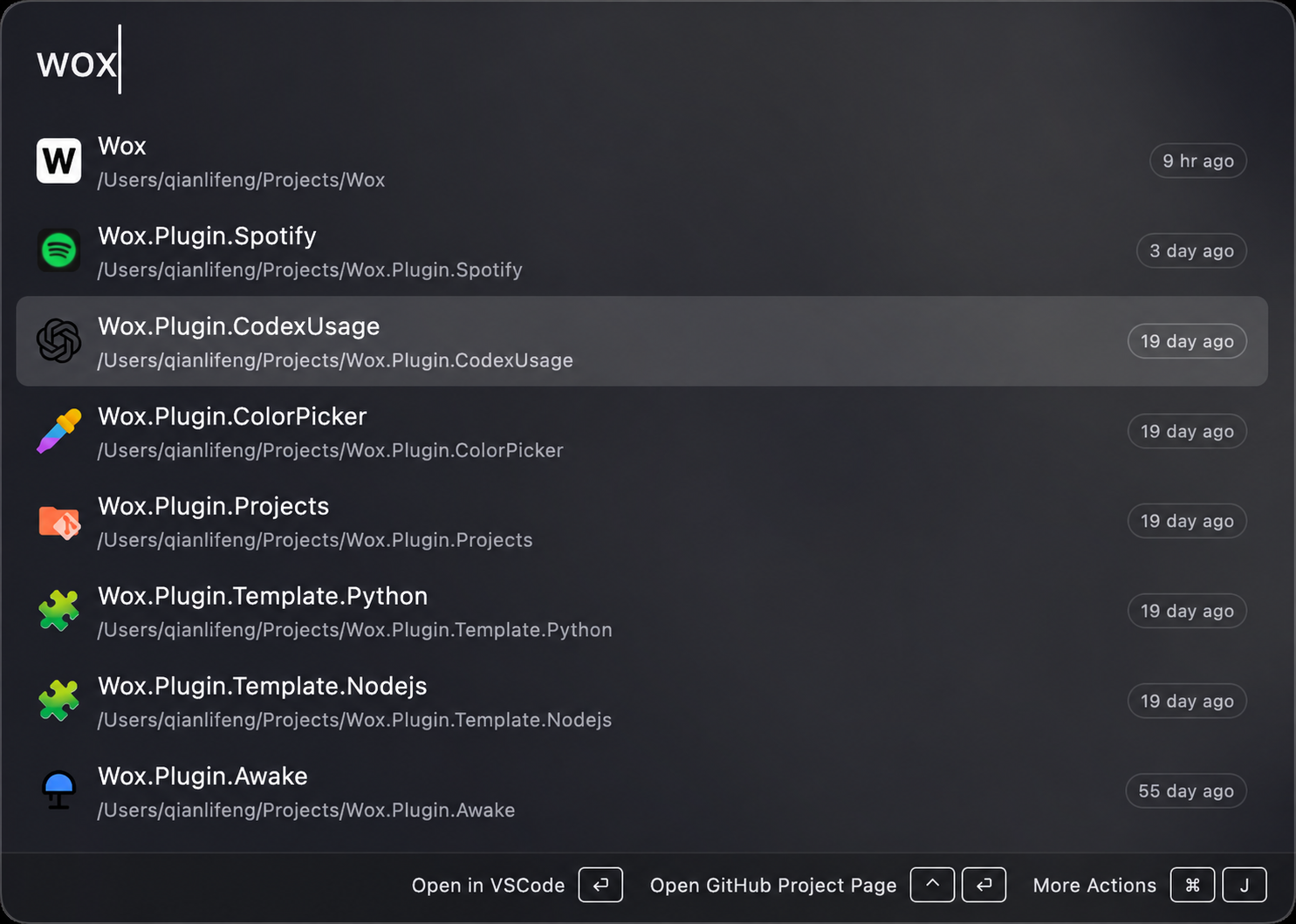
Wox now has a native, GPU-rendered interface. The launcher does not use Electron or a webpage inside a WebView as its application UI. The interface changed during v2's development: v2.4.0 replaced Flutter with the current embedded native UI.
A launcher spends most of its life in the background and may only appear for a few seconds at a time. Its resource use matters to me. Everyday queries typically use around 150 MB of memory; in my own use, that can fall to around 60 MB after hiding the launcher and leaving it idle. These are everyday observations, not fixed figures for every computer. Plugins, indexing, and active features affect the actual usage.
Appearance is adjustable too. Wox can follow the system's light and dark modes, or you can choose colors, backgrounds, and window styles from the theme store. On macOS 26, it also supports Liquid Glass.
Built-in tools
The basic interaction is still familiar: bring up Wox, type an app's name, and press Enter. There is also quite a bit available before installing any third-party plugins.
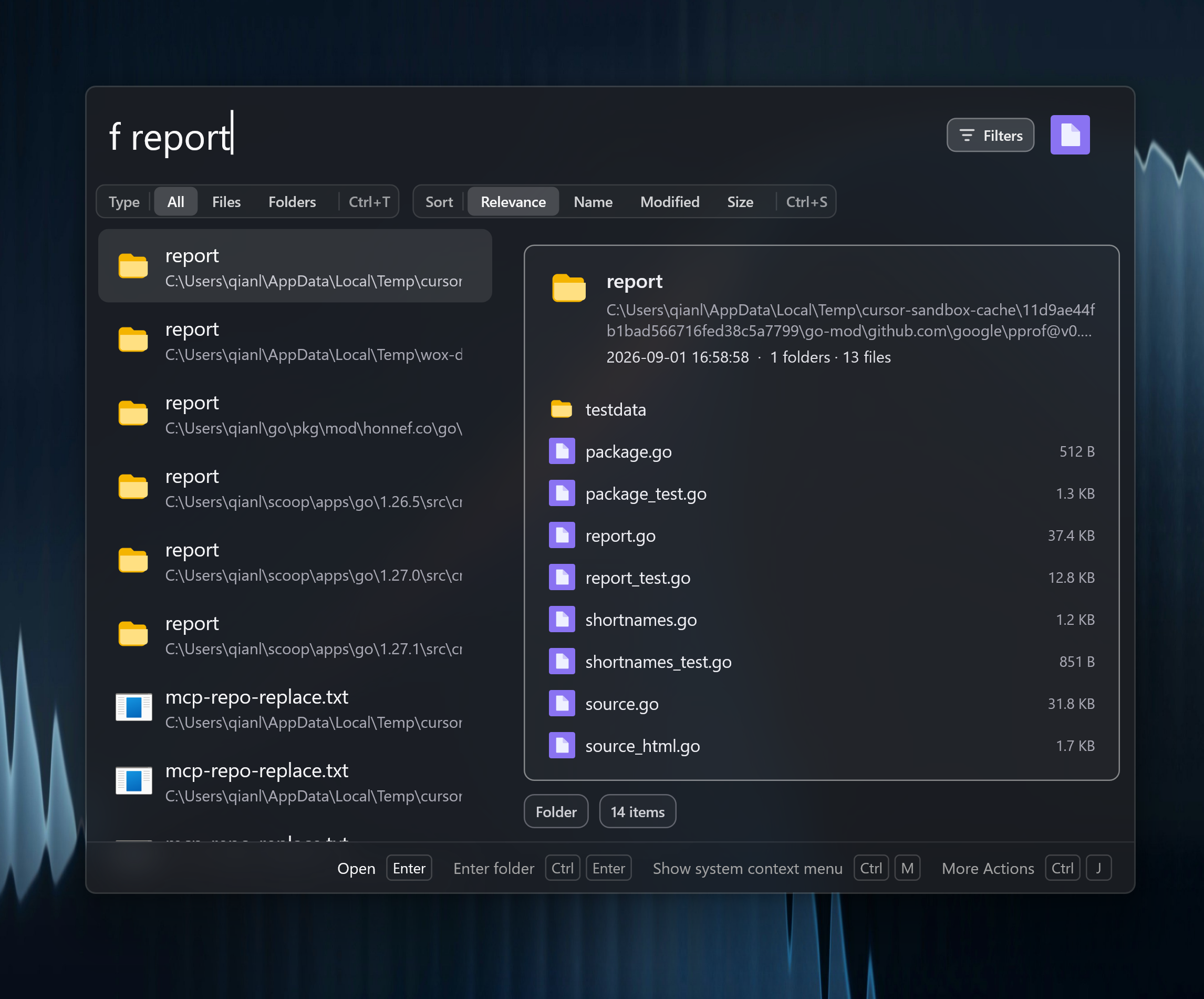
For example, enter f report to find files and folders with report in their names within your configured folders, then select a result to preview it. The screenshot below shows a selected folder and its contents on the right. On Windows, an optional NTFS service uses the MFT and USN journal to maintain a fast file index. macOS and Linux use directory-based indexing. You can configure separate directories for file-content search. The file search guide explains the setup and permissions.
To recover something you copied earlier, open clipboard history. For a calculation, unit conversion, or another time zone, type the query directly. Browser bookmarks, emoji, colors, media controls, and system commands are also built in.
Wox also includes screenshot capture and annotation, short video recording, notes, and countdown timers. Dictation can run locally after downloading an offline model. For AI Chat and AI Commands, you configure your own model provider and API key. One use is to translate selected text and replace it in place. Any model-service charges come from that provider.
I also often use a shortcut to open X in a small window, take a look, and close it again. That combines the WebView plugin with a Query Hotkey, currently on Windows and macOS. The WebView displays the website; the launcher interface itself remains native.
If you repeatedly arrange an editor, browser, and terminal in the same positions, you can save a workspace layout and restore it with a shortcut.
Platform support and Cloud Sync
Cross-platform support began with a personal need: I wanted to keep using the tool I maintained after moving to a Mac. Now the aim is to offer familiar ways to launch apps, find files, and run commands across Windows, macOS, and Linux. System permissions and desktop environments still differ, and some features have platform limits or require system-specific setup.
Once you have a setup you like, rebuilding it on every computer becomes tedious. Cloud Sync encrypts and synchronizes settings, installed plugins, themes, and other supported data. Note text can sync; note images and some local-only settings stay on the device.
Running that service has ongoing server and bandwidth costs, so Wox's paid offering is currently Cloud Sync Pro. The free plan supports up to two active devices with manual sync. Pro supports unlimited devices and automatic sync. Using Wox on a single computer does not require a sync subscription.
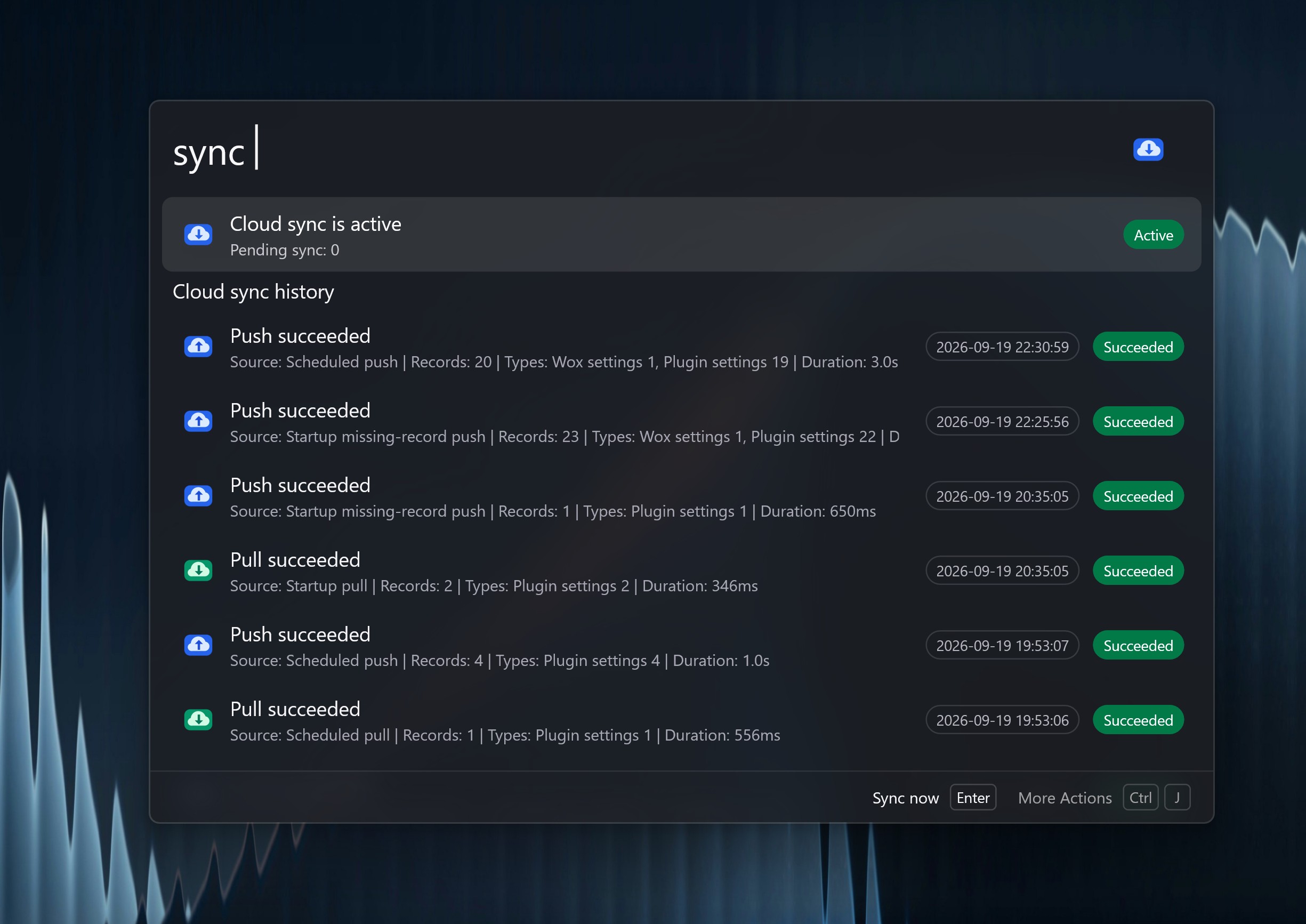
Enter sync to check the current sync status and history, or start a manual sync.
Plugins
Built-in tools cannot cover every need. The plugin store has community contributions, and you can write your own plugins in Node.js or Python. The repository also includes a wox-plugin-creator skill: give a concrete requirement to an AI coding tool that supports skills, let it help create the plugin, then try and debug it locally.
I have always liked being able to customize a launcher this way. You can use it just to open apps, or connect your own scripts and tools when you want it to do more.
If you have not used Wox for a while, install the current stable version and give it one task you do every day. The code and issue tracker are on GitHub, and I will keep sharing practical examples on this blog.
Thirteen years is a longer journey than I imagined when I first posted WinAlfred. Thank you to everyone who maintained it, made plugins, reported problems, or kept using it. I hope Wox has another thirteen years ahead.