
AI-Assisted Theme Editing
Configure AI Settings, then open Settings → Theme editor → AI assistance.
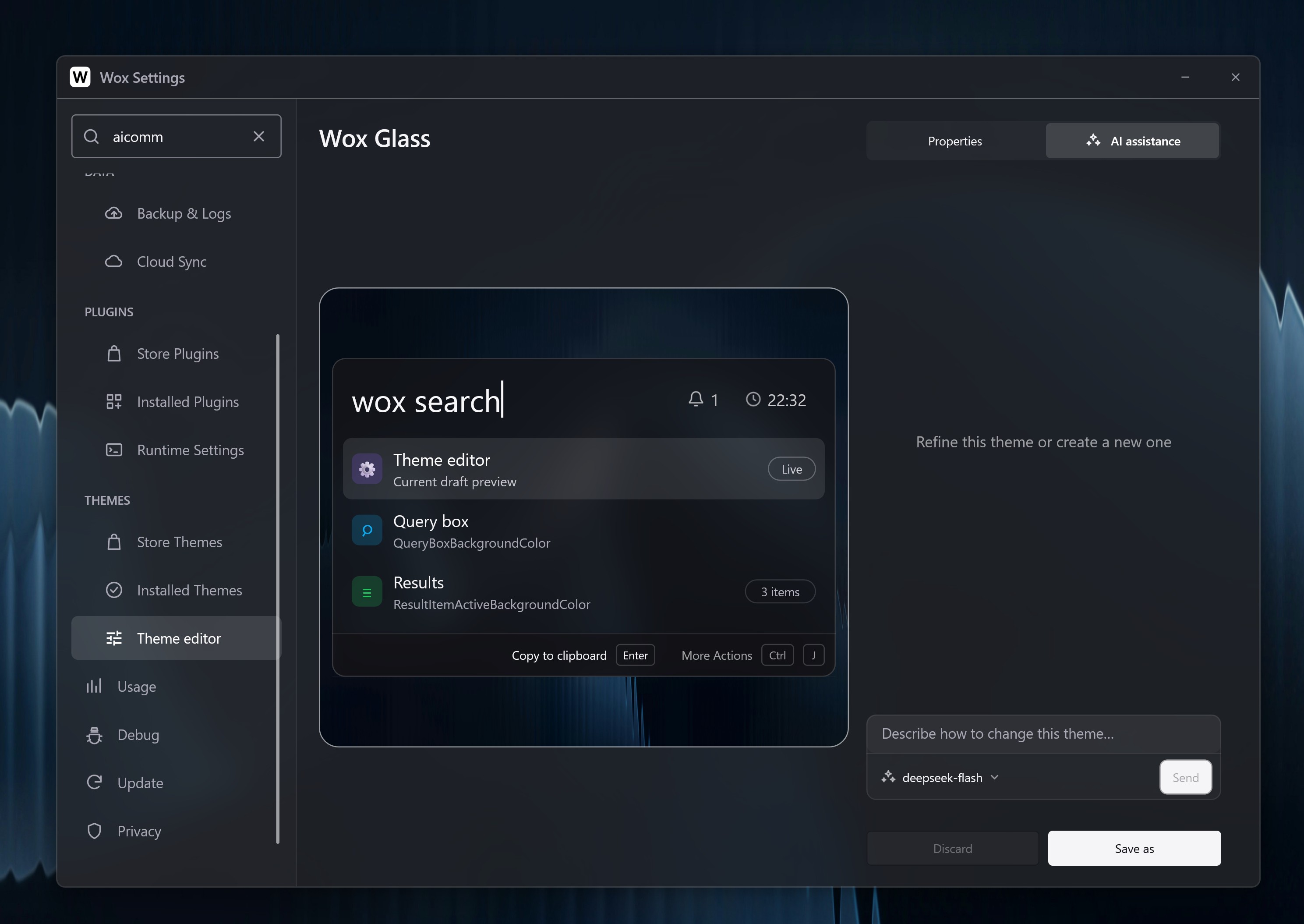
Select a model and describe how to adjust the current theme, for example:
- Use a dark graphite background with teal accents.
- Keep the colors, but make the window corners less rounded.
- Increase contrast between selected and unselected results.
Click Send to update the draft and its live preview. Continue describing changes, cancel generation, or undo the last AI edit. Invalid responses are rejected without partially updating the draft.
Check text, selection, shortcuts, and preview readability, then use Save or Save as. System themes can only be saved as a new theme. AI never installs or overwrites a theme automatically.
The former theme ai command has been removed. Use theme to browse and apply themes.
AI assistance opens in the right-hand editing pane, keeping the live preview visible. Use the Properties / AI assistance switch at the top of the right pane to return to properties; the conversation stays available when you reopen assistance. Wox bundles the wox-theme-creator skill and automatically includes its guidance in every theme-editor AI request.