
WebSearch Plugin
WebSearch opens search URLs from Wox. It can work as a fallback result for normal text or through explicit engine keywords.
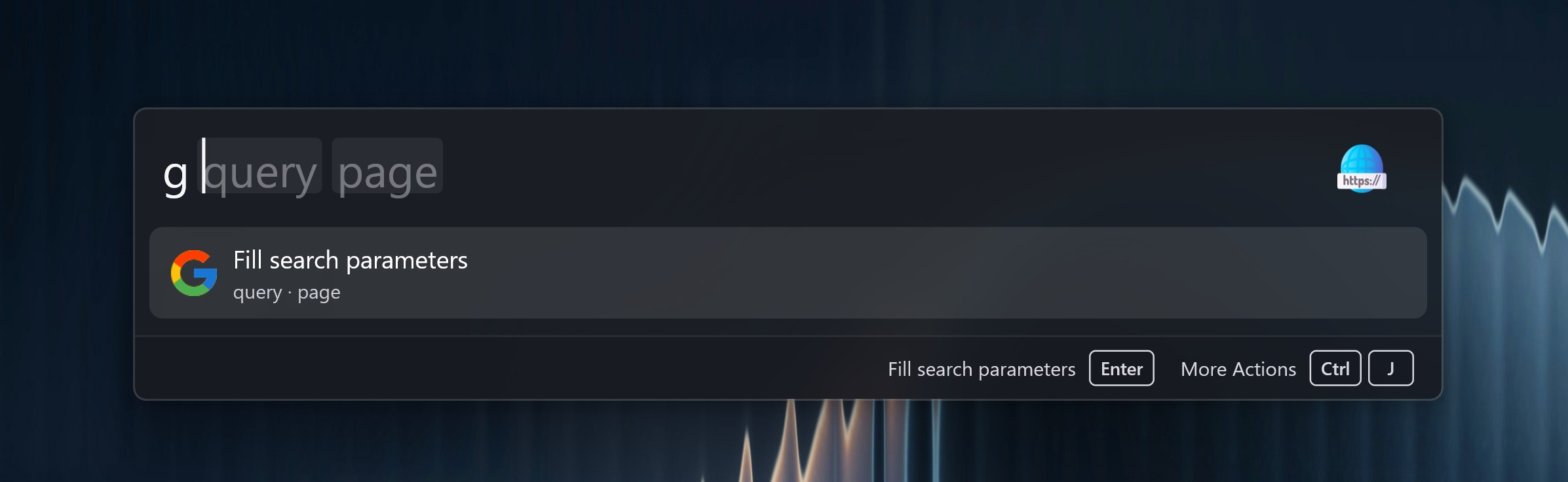
Quick Start
Wox Launcher
g Wox Launcher
The default configuration includes Google with the g keyword. Add more engines in plugin settings.
Engine Settings
| Field | Use |
|---|---|
| Keyword | Shortcut typed before the query, such as g |
| Title | Result label shown in Wox |
| URL(s) | Search URL templates |
| Browser | Browser that opens this search |
| Incognito | Open the search in a private/incognito window when the browser supports it. Off by default. Grouped under Advanced. |
| Disabled | Check to hide the engine. New rows stay on. |
| Default | Whether the engine is used for fallback searches. Grouped under Advanced. |
| Preview Width | Optional launcher width in pixels for Open in WebView. Grouped under WebView. |
| Preview Height | Optional launcher height in pixels for Open in WebView. Grouped under WebView. |
| Inject CSS | Optional CSS injected into that search's in-launcher WebView. Grouped under WebView. |
URL Variables
| Variable | Value |
|---|---|
{wox:parameter?name=query} | Named input parameter |
{wox:parameter?name=query&case=lower} | Lowercase parameter value |
{wox:selected_text} | Text selected before Wox opens |
{wox:clipboard_text} | Clipboard text captured before Wox opens |
Example URL:
https://www.google.com/search?q={wox:parameter?name=query}If an engine has multiple URLs, Wox opens each URL in order.
On Windows and macOS, a completed search also offers Open in WebView. Enter still opens the browser. Ctrl+Enter (Cmd+Enter on macOS) replaces the result list with an in-launcher preview of the first URL and keeps the query box. Escape returns focus to the query and destroys that preview. The preview action panel includes Refresh (Ctrl+R / Cmd+R), Go Back (Ctrl+[ / Cmd+[), Go Forward (Ctrl+] / Cmd+]), and Open in Browser (Ctrl+O / Cmd+O), which hides Wox. Each search can set its own preview width, height, and injected CSS in the collapsed WebView group of the row editor. Linux does not include this action because Wox has no WebView preview there yet.
Existing {query}, {lower_query} and {upper_query} placeholders in URLs and titles migrate automatically to {wox:parameter?name=query} and {wox:parameter?name=query&case=lower} / case=upper.
For multiple inputs, use a URL such as https://example.com/search?text={wox:parameter?name=text}&language={wox:parameter?name=language}. Typing the keyword followed by a space enters that search's scope and shows its input slots. Tab / Shift+Tab moves between slots; each value can contain spaces. Parameters are ordered by first appearance across the URL list, with repeated names sharing one value. Names can use letters in any language, digits, underscores and spaces, and cannot start with a digit or space. Titles may reference parameters declared in URLs. In the Title and URLs editors, type { or use the {} button to insert variables; complete {wox:...} placeholders appear as chips. Saving is rejected when the title names a parameter that does not appear in the URLs.
Single-input searches still accept the entire text after the keyword. Pasting a plain multi-input query offers a fill-parameters action that preserves the text in the first slot; Wox does not guess boundaries. Variables are substituted once and URL-encoded for the path, query or fragment. They cannot replace the URL scheme or host. Missing environment text produces an explanation instead of opening an incomplete search.
Selected Text
When you trigger Wox on selected text, WebSearch can show fallback engines for that selection. This is useful for quickly searching an error message, symbol, or phrase from another app.
Fallback and selected-text search require exactly one distinct input parameter. Environment variables do not count as inputs; searches with zero or multiple inputs are excluded even if fallback is enabled.