
Action Panel
The Action Panel is the second step for a result. Enter runs the primary action; the Action Panel shows the other actions the plugin attached to that result.
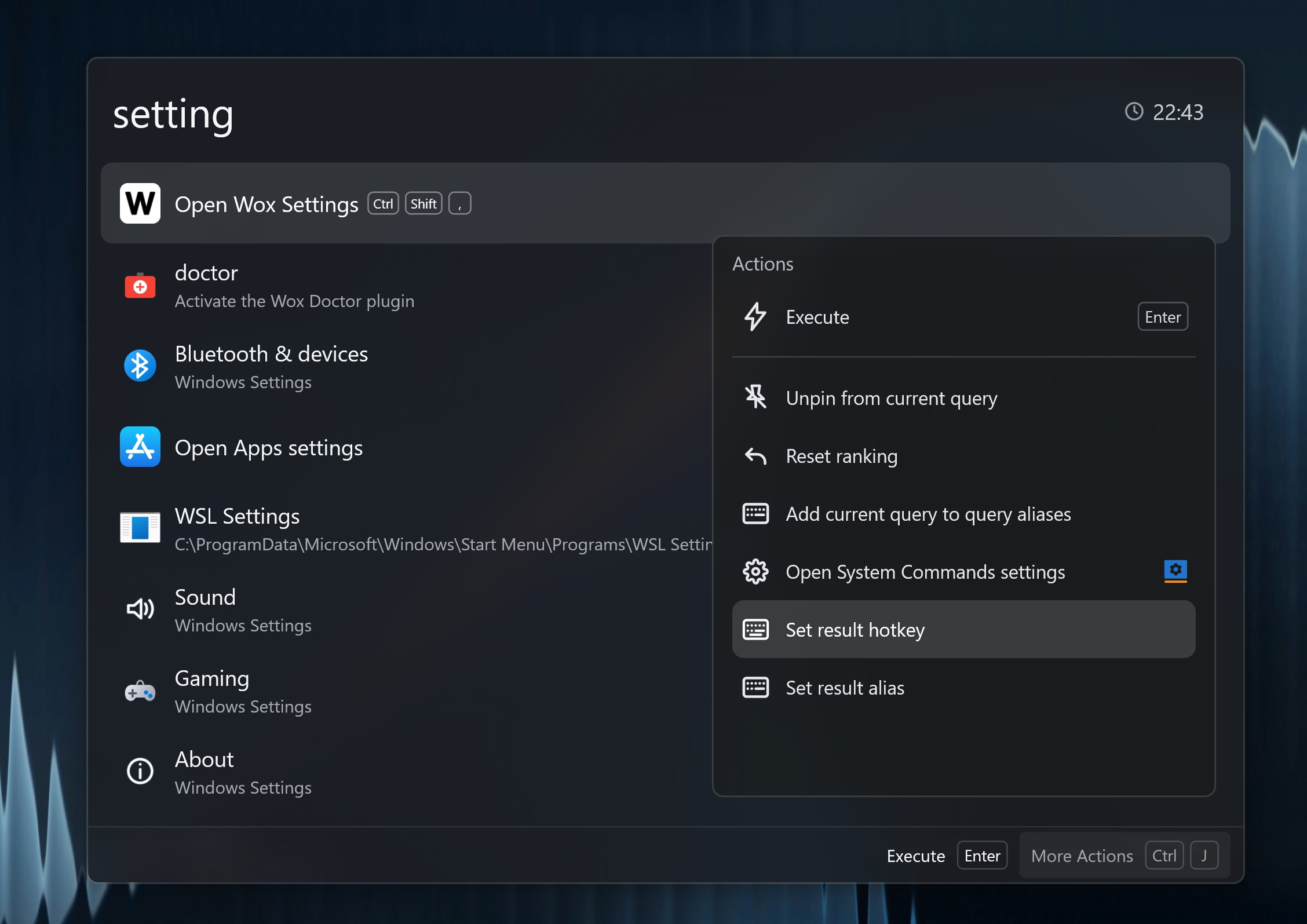
Open It
- Highlight a result.
- Press
Ctrl + Kon Windows/Linux orCommand + Kon macOS. Change this in Settings -> General. - Pick an action with the keyboard and press
Enter.
You can type in the Action Panel to filter actions. Localized action names also match English aliases, so copy, open, or delete still find the right command.
Common Actions
Actions depend on the plugin and the selected result. Typical examples:
| Result | Common actions |
|---|---|
| App | Open, reveal in file manager, copy path, uninstall (Windows), terminate a running app |
| File | Open, open containing folder, delete to trash, show system context menu, save to Notes |
| Clipboard item | Copy, paste to the active window, favorite, edit title, edit text, delete, save to Notes |
| Bookmark or URL | Open in browser |
| Plugin store result | Install, uninstall, update, open website |
| Calculator / converter result | Copy the formatted result, raw result, or question and answer |
| Any result | Reset usage-based ranking, save the current query as a shortcut |
When to Use It
Use the Action Panel when the default Enter action is not the one you want. It is also the fastest way to discover what a plugin can do without opening settings.